Find the best plan for your home
8etter connections with eight
eight Wi-Fi Guide
🏡 Singapore BTO Router Matchmaker
Explore the ideal eero setup for your flat type below!
5-Room BTO Flat (113 sqm)
2–3 Routers (Mesh)

Recommended:1x eero 7 Pro 10Gbps (DB Box) + 1x eero 7 (Bedroom space, connect to TP wired point)
- Extended Footprint (113 sqm): Crucial for bridging the span across wider living/dining layouts and study spaces.
- Mesh Synergy: Keeps heavy-duty smart home tech, 4K streaming boxes, and work setups seamlessly lag-free.
4-Room BTO Flat (93 sqm)
2 Routers (Mesh)
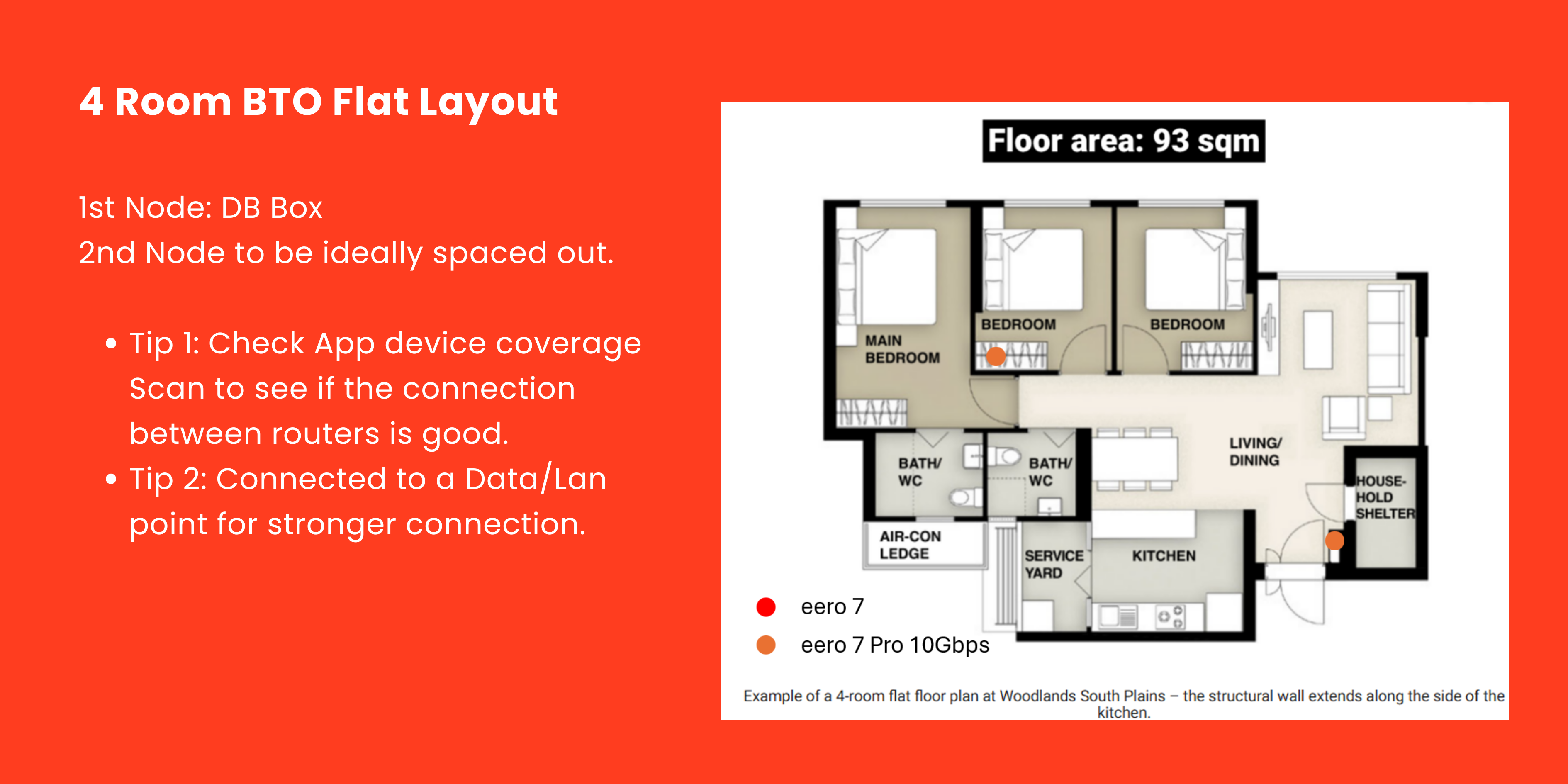
Recommended:1x eero 7 Pro 10Gbps (DB Box entry) + 1x eero 7 (Bedroom space, connect to TP wired point).
- Tip 1: Use the mobile app’s device coverage scan to verify backhaul connection health between routers.
- Tip 2: Connect the second node directly to a TP (Telephone/Data) wired point for max possible speed.
3-Room BTO Flat (68 sqm)
1 Router
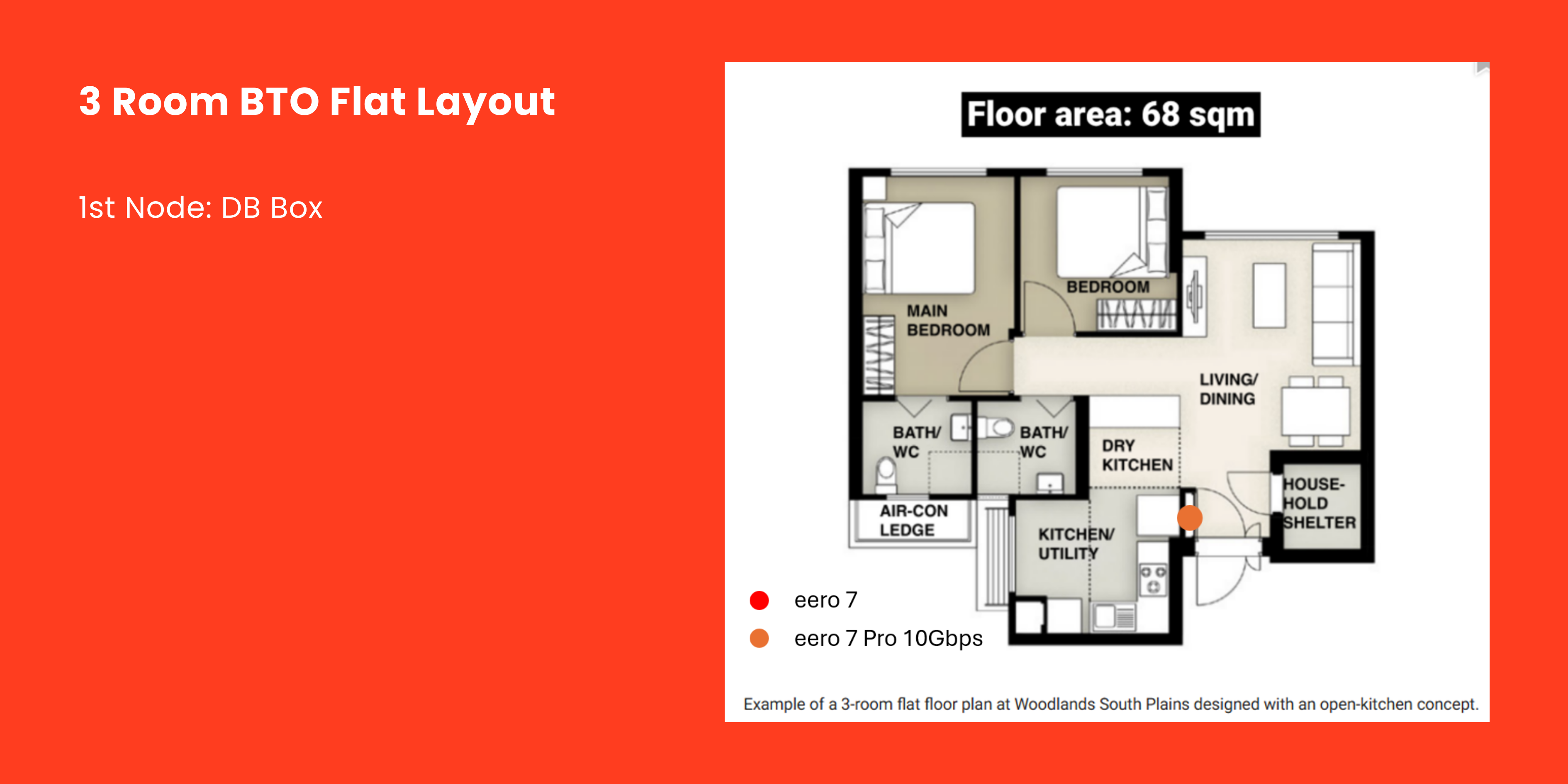
Recommended: Place 1x eero 7 Pro 10Gbps right at the DB Box / ONT Fibre Point in the household shelter entrance.
- Thicker Walls: Concrete walls may cause minor signal damping, but a single high-power eero 7 Pro easily blankets 68 sqm.
- DB Box Hub: Perfectly positioned to cleanly distribute wireless signals across living and bedroom areas.